
Bike Navigation App vs Dedicated Device: 2026 Guide
Table of Contents
- Bike Navigation App vs Dedicated Device: The Core Trade-Off
- The Best Bike Computer for Beginners: What Actually Matters
- Cycling GPS Battery Life Comparison: Apps vs Dedicated Hardware
- How to Mount Phone on Bike Safely (and Why It Still Costs You)
- Offline Maps, Satellite Signal, and Route Reliability
- E-Bike Integration, Privacy, and Thermal Limits
- Cost Breakdown: What You Pay Now vs Over Three Seasons
- Conclusion
- Frequently Asked Questions
Last Updated: September 20, 2026
Bike Navigation App vs Dedicated Device: The Core Trade-Off
The bike navigation app vs dedicated device debate comes down to one question: do you want to carry your phone on every ride, or do you want a screen built for the handlebar? At Beeline Velo, we've watched this trade-off play out over millions of rides, and the honest answer is that it depends on how you ride. A phone wins on cost because you already own it.

When Your Phone Makes Sense
Your phone is the cheapest navigation tool you own, and for short, familiar rides it's genuinely hard to beat. A free app, a handlebar mount, and you're moving.
The catch is everything that comes with it:
- Battery drain from a bright screen and active GPS
- Heat buildup in direct sun, especially in a sealed case
- Interruptions from calls, texts, and notifications mid-ride
- Vibration damage to camera stabilization components over time
When a Dedicated Device Wins
A dedicated bike computer wins when the ride is long enough that battery anxiety, screen glare, or phone safety becomes a real concern. These devices are built for one job: showing you where to go without draining your phone or exposing it to the weather.
Dedicated units typically offer:
- Multi-day battery life on a single charge
- Screens readable in direct sunlight
- A ruggedized, waterproof housing
- Physical buttons that work with gloves or in rain
The Best Bike Computer for Beginners: What Actually Matters
For a beginner, the best bike computer is the one you'll actually use without a manual. Feature lists are a trap. Most new riders never touch half of what a premium unit offers.
What matters is simpler than the spec sheet suggests:
- Setup time. If it takes an hour to configure, you'll avoid it.
- Interface clarity. A bright, simple screen beats a dense one every time.
- Mounting. It should clip on and come off in seconds.
- Price. Under $100-150 keeps the experiment low-risk.
Cycling GPS Battery Life Comparison: Apps vs Dedicated Hardware
Where the power actually goes on a phone:
- Display. A 6-inch OLED or LCD panel at 800+ nits for sunlight readability is the dominant draw. Dimming it defeats the purpose; leaving it bright drains the battery.
- GPS chipset. Phone GPS is designed for intermittent fixes, not continuous 1 Hz tracking. Sustained use keeps the radio and its companion processors awake.
- Cellular and Wi-Fi radios. Background sync, notifications, and map tile fetches keep these active even when you're not looking at the screen.
- Background processes. Messaging, email, photo sync, and OS services all compete for the same battery.
- Thermal throttling. This is the one people miss. When a phone gets hot, direct sun, sealed case, screen on, the system throttles the CPU and, in some cases, the charging rate. That doesn't just slow the phone down; it can force the screen dimmer, which makes navigation harder to read, and in extreme cases triggers a thermal shutdown that kills navigation entirely.
The practical comparison, in ride terms:
- Under 1 hour. A phone handles this without drama. Expect 15-25% battery use with the screen on.
- 1-3 hours. A phone will typically finish the ride but you'll be watching the percentage. A dedicated unit finishes with most of its charge intact.
- 3+ hours or multi-ride days. A phone needs a battery pack or a mid-ride charge. A dedicated unit runs for days between charges.
If your rides run under an hour, your phone is fine. If they run longer, or you ride multiple times between charges, a dedicated unit removes the anxiety entirely, and it removes the thermal risk that no battery pack can fix.
How to Mount Phone on Bike Safely (and Why It Still Costs You)
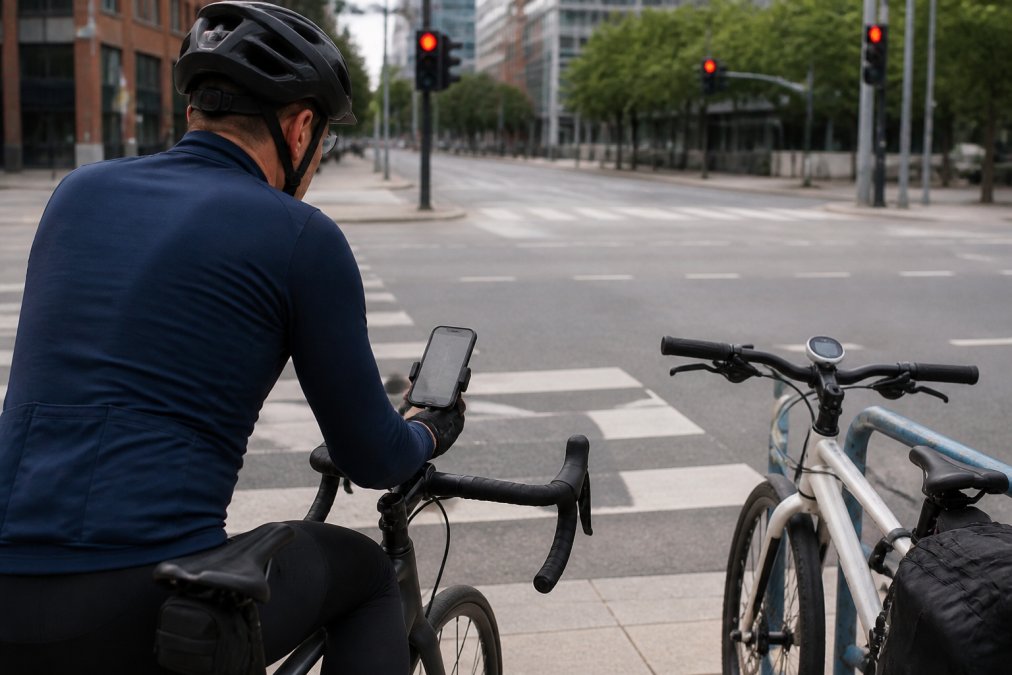
To mount a phone on your bike safely, use a locking handlebar or stem mount, keep the case on, and avoid overtightening clamps on carbon bars. That's the mechanical part. The real cost is everything else.
Offline Maps, Satellite Signal, and Route Reliability
Route reliability comes down to how well your device handles offline maps and satellite signal when conditions aren't ideal. Both phones and dedicated units can lose GPS lock in dense tree cover, tunnels, or tall buildings. What differs is how gracefully they recover.
A few things separate reliable setups from frustrating ones:
- Offline maps. Download your route and map tiles before you leave. Don't rely on cell signal in rural areas.
- GPX files. Loading a route as a GPX file gives you turn-by-turn guidance without needing a live connection.
- Satellite signal. Dedicated devices often hold a lock better in challenging terrain because their antennas are tuned for it.
- Route synchronization. The best setups sync routes from your phone to the device automatically.
E-Bike Integration, Privacy, and Thermal Limits
E-bike integration, privacy, and thermal management are the three areas most buyers overlook, and they're exactly where the choice between an app and a dedicated device stops being a coin flip. Most comparison articles skip them entirely. Here's the version that actually helps you decide.
-
A phone-based e-bike app usually talks to the motor system through the manufacturer's own app, which means navigation and motor telemetry live in two different places on your screen, or you pick one.
-
A dedicated device that supports the same protocol can display motor data alongside the route, so you see remaining range and turn instructions in the same glance.
-
Compatibility is not universal. Before you buy, check whether your motor system publishes an open protocol and whether the device you're considering lists it as supported. "Works with e-bikes" in marketing copy is not the same as "reads my motor's battery data."
-
Phone navigation apps commonly collect location history, ride patterns, speed, and account-linked identifiers. Some sync that to a cloud account by default. The data is useful for features like route suggestions and social segments, but it's also a persistent record of where you go and when.
-
A dedicated device that stores rides locally and only syncs when you choose gives you a different default: the data lives on the hardware until you decide otherwise.
-
The question to ask is not "does this app collect data", most do, but "what is the default, and can I turn it off without losing core navigation?" For some riders, an offline-only workflow is the whole point.
-
A phone in a case, in direct sun, running GPS and a bright screen is a sealed box generating its own heat with no airflow. Modern phones manage this by throttling, dimming the screen, slowing the processor, and in severe cases shutting down.
-
Dedicated cycling hardware is designed for the same conditions. Lower-power components generate less heat to begin with, and the enclosures are built to dissipate what's produced. The result is that a dedicated unit keeps working at the temperature where a phone starts negotiating with you.
-
Cold is the mirror image. Lithium-ion batteries lose usable capacity as temperatures drop, and a phone left on a handlebar in winter can lose charge faster than the percentage suggests. Dedicated devices with smaller, lower-draw electronics tend to degrade more gracefully, though no battery chemistry escapes the cold entirely.
The three questions most buyers forget to ask: Does it read my e-bike's motor data, or just show a map next to it? Where does my ride data go by default, and can I keep it local? And does it keep working when the temperature swings to either extreme? Answer those before you compare screen sizes, they'll eliminate more options than any spec sheet will.
Cost Breakdown: What You Pay Now vs Over Three Seasons
The upfront cost of a phone app is close to zero, but the three-season picture is less obvious. A phone mount, a case, a battery pack, a replacement screen after a drop, and the eventual phone upgrade all add up.
| Option | Upfront Cost | Ongoing Costs | Best For |
|---|---|---|---|
| Phone + free app | $0-40 (mount/case) | Battery packs, repairs, faster phone upgrades | Short, familiar rides |
| Phone + paid app | Subscription or one-time fee | Same as above, plus app fees | Riders who want better routing |
| Dedicated device | One-time hardware cost | Minimal; occasional firmware updates | Daily riders, longer routes |
Conclusion
Choosing between a phone and a dedicated device is really a question about how you ride, not which option is objectively better. If your rides are short and you're rarely far from home, your phone and a free app will do the job. If you ride daily, explore new routes, or simply want your phone safe in your pocket, a dedicated unit pays for itself in reliability and peace of mind.
Frequently Asked Questions
Do bike navigation apps drain phone battery quickly?
Yes. Running turn-by-turn navigation with the screen on and GPS active can drain a typical phone battery in two to four hours, and cold weather speeds that up further. That is usually fine for a short commute but risky on a longer weekend ride. A dedicated bike navigation device separates navigation from your phone, so your phone stays charged for calls and emergencies while the device handles directions.
Is a dedicated GPS device more accurate than a smartphone for cycling?
Accuracy is similar in open areas because both use the same satellite constellations. The difference shows up in cities and tree cover, where a handlebar-mounted device with a clear sky view holds a satellite signal better than a phone tucked in a pocket or bag. Dedicated units also log data continuously without competing with background apps for processor time.
What should I look for in a bike navigation device for beginners?
Prioritize a simple interface, readable screen in direct sunlight, and reliable offline maps over long feature lists. Battery life of eight hours or more covers most riders, and a mounting system that fits standard handlebars keeps setup easy. The Beeline Velo 2 at $99 includes a universal handlebar mount, USB-C cable, and quick start guide, which covers the basics without a steep learning curve.
Can I use my phone for navigation and still track ride stats with a bike computer?
Yes, and many riders do exactly that. Run navigation on a dedicated device and let a separate computer or app handle ride metrics, or use one device that does both. The Beeline Velo 2 pairs turn-by-turn navigation with activity tracking through its app, so you get directions and ride data without mounting your phone on the bars.
The real challenge isn't picking a side in the bike navigation app vs dedicated device debate. It's finding a device simple enough that you'll actually use it. Beeline Velo builds exactly that: the Velo 2 is a compact, well-priced navigation device with a bright, simple interface, app-based turn-by-turn directions, and activity tracking, all for $99 with no subscription. Get started with Beeline Velo and keep your phone stowed while you focus on the ride.