
Best Bike Computer Under $150: 2026
Table of Contents
- What Makes a Bike Computer Worth $150 or Less
- GPS Bike Computer vs Smartphone Navigation
- How to Choose a Bike Computer for Your Riding Style
- Bike Computer Features Explained: What Actually Matters
- Turn-by-Turn Navigation Without Overcomplication
- Real-World Performance: Durability and Long-Term Reliability
- Finding the Right Bike Computer Under $150
- Frequently Asked Questions
Last Updated: September 14, 2026
What Makes a Bike Computer Worth $150 or Less
A bike computer under 150 is a navigation and tracking device that combines GPS functionality with activity monitoring in a compact form factor. The best options in this price range deliver turn-by-turn navigation, route discovery, and ride statistics without overwhelming complexity or premium pricing. The key is identifying which features actually matter for your riding style rather than chasing every capability available.
The market has shifted dramatically. Five years ago, anything under $150 meant choosing between bare-bones GPS tracking or a smartphone mount. Today, that budget gets you genuine navigation, sensor compatibility, and reliable hardware from multiple manufacturers. The catch: not every feature under $150 deserves your attention.
GPS Bike Computer vs Smartphone Navigation
Your smartphone already has GPS. So why carry a dedicated device? The answer depends on what you're actually doing on the bike.
Smartphones drain battery fast when running GPS continuously. A dedicated bike computer under $150 typically lasts 8-12 hours per charge, while your phone dies in 3-4 hours of active navigation (garmin.com). More importantly, a dedicated device keeps your phone safely stowed instead of mounted where it's vulnerable to impact, theft, or accidental drops.
Smartphone apps excel at flexibility, you can switch between navigation, music, and messaging instantly. A dedicated computer excels at focus. You get turn-by-turn directions without notifications, without the temptation to check messages, without the distraction of a glowing screen demanding attention every few seconds. For commuters and weekend riders, that simplicity matters.
The real difference comes down to your priorities. If you're exploring unfamiliar terrain and want the most detailed routing options, your phone offers more flexibility. If you want straightforward navigation that doesn't drain your battery or tempt you to scroll, a dedicated bike computer under $150 wins.
How to Choose a Bike Computer for Your Riding Style
Different riders need different features. A commuter's priorities differ sharply from a touring cyclist's, and both differ from someone training for fitness metrics.
Ask yourself three questions first: How long are your typical rides? Do you need turn-by-turn directions or just route tracking? Are you integrating with training platforms or just recording activity?
Commuters benefit most from a bike computer under 150 with compact design, bright screens readable in daylight, and simple, predictable routing. They don't need advanced power meter data or complex training metrics. A bike computer under $150 with basic GPS and a sufficient battery is often enough.
Recreational riders exploring new routes want reliable turn-by-turn navigation and the ability to discover paths they haven't ridden before. They value route suggestions and the confidence that the device won't send them down a sketchy shortcut. Battery life matters, but less urgently than navigation accuracy.
Fitness-focused cyclists care about sensor compatibility, heart rate monitors, cadence sensors, power meters. They want detailed post-ride analysis and integration with training platforms. A bike computer under $150 with ANT+ and Bluetooth connectivity becomes essential for this group.
Bike Computer Features Explained: What Actually Matters
Display Size and Readability
Screen size ranges from 2.3 inches to 3.5 inches on devices under $150. Smaller screens save weight and battery; larger screens improve visibility at a glance.
A 2.5-inch display works fine for turn-by-turn directions if the text is crisp and the contrast is high. The real test is daylight readability. Many budget bike computers wash out in bright sunlight, forcing you to angle the device or shield it with your hand. Look for screens with good brightness for daylight readability.
Resolution matters less than you'd think. A clear display shows enough information for navigation. What matters is whether you can read it without stopping to study it. Glanceability beats pixel density every time.
Battery Life and Charging
Battery capacity on a bike computer under $150 varies. The catch: actual runtime depends heavily on screen brightness, GPS polling frequency, and connectivity features.
A device claiming a certain battery life might deliver less if you run the backlight constantly or use Bluetooth to stream data to your phone continuously. Check real-world reviews from riders in your climate, battery performance varies with temperature and usage patterns.
Charging standards matter for long-term reliability. USB-C has become standard on newer models, but some budget devices still use proprietary cables. USB-C means you can charge from any modern device, reducing the friction of keeping your bike computer topped up.
Connectivity and Sensor Compatibility
ANT+ and Bluetooth Low Energy are the two wireless standards that matter. ANT+ connects to cycling-specific sensors like power meters and cadence sensors. Bluetooth connects to your phone and fitness apps.
A bike computer under $150 with both standards gives you flexibility. You can pair it with a power meter for training data, then sync to Strava via Bluetooth for social sharing and segment tracking. Devices with only Bluetooth work fine for casual riders; devices with only ANT+ limit your integration options.
Compatibility with older sensor ecosystems varies. If you already own ANT+ devices from years past, verify the bike computer supports your specific sensor generation before buying.
Turn-by-Turn Navigation Without Overcomplication
Turn-by-turn navigation on a bike computer under $150 works best when it's simple and reliable. Complex routing options that require constant adjustments defeat the purpose of carrying a dedicated device.
The best implementations show your next turn clearly, highlight upcoming maneuvers with enough lead time to react, and allow easy rerouting if you miss a turn or want to change course. You shouldn't need to study the screen, glancing at it for two seconds should tell you everything you need to know.
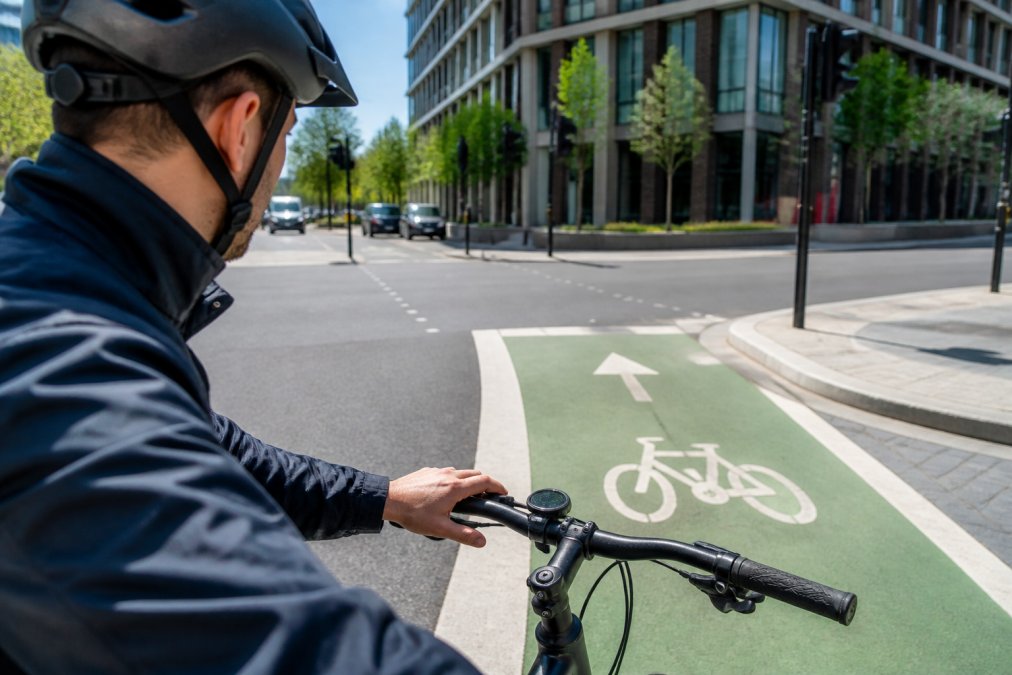
Many riders worry about reliability. What happens if the device loses GPS signal or the app crashes mid-ride? The answer: most quality devices maintain your last known route and can re-acquire signal quickly. Crashes are rare on modern hardware. The real risk is user error, forgetting to download your route before heading out or not checking that your device is charged.
Real-World Performance: Durability and Long-Term Reliability
A bike computer under $150 should last 3-5 years of regular use if you treat it reasonably. But durability isn't just about surviving drops, it's about what happens when hardware fails and whether the manufacturer will support you.
Common Failure Modes and Timeline
Battery degradation is the most predictable failure. Lithium-ion batteries in bike computers typically retain a significant portion of their capacity after a few years of regular charging (Extending the Life of Lithium-Ion Batteries). Over time, you may see runtime decrease on a full charge. This isn't a defect; it's chemistry. Budget devices rarely offer user-replaceable batteries, so battery failure often means replacing the entire unit.
Screen cracks from drops are possible but vary by device. Devices with edge-to-edge glass screens (common on models under $100) are more vulnerable than those with recessed screens or protective bezels. If the screen cracks, repair costs for replacement parts can vary, assuming the manufacturer still stocks them.
Button and connector corrosion happens faster in coastal or humid environments. Salt spray accelerates corrosion of metal contacts, even on devices rated IPX4 or higher. Riders in coastal areas report button stickiness and charging port issues after 2-3 years more frequently than inland riders. Freshwater exposure is less problematic; saltwater is the real culprit.
Software crashes are rare on modern hardware, but they do occur.
Manufacturer Support and Longevity
Environmental Durability
Finding the Right Bike Computer Under $150
Frequently Asked Questions
What's the real difference between a bike computer under $150 and using my smartphone?
A dedicated bike computer keeps your phone safe and stowed while delivering focused navigation and ride tracking on a small, glove-friendly screen. Smartphones drain battery quickly in navigation mode, require frequent checking, and expose your device to weather and impact. A bike computer under $150 offers turn-by-turn directions, GPS tracking, and activity logging without the distraction or damage risk—ideal for commuters and weekend riders who want simplicity over feature complexity.
Can a budget bike computer sync with Strava and other training apps?
Many budget bike computers under $150 sync with popular training platforms via Bluetooth or ANT+ connectivity. Compatibility varies by model, so check the specifications before purchasing. Some integrate directly with Strava segments, while others export ride data after completion. If tracking and sharing rides is important to you, verify the bike computer supports your preferred platform and that the companion app is reliable and regularly updated.
Is a cheap bike computer worth buying if I already have a Garmin or similar device?
Only if you value simplicity and portability over advanced metrics. A streamlined bike computer under $150 excels at turn-by-turn navigation and basic activity tracking without overwhelming you with power data, training load, or complex menus. If you're already comfortable with your current device and use its advanced features, switching may not add value. However, if you find your current computer cluttered or want a lightweight backup for commuting, a simpler option can be worthwhile.
How do I know a budget bike computer will work on my bike routes and back roads?
Look for models with GPS accuracy that uses multiple satellite systems (GPS, GLONASS, Galileo) for better signal in urban canyons and tree cover. Read user reviews specifically about route reliability in your region and on the types of roads you ride. Many bike computers under $150 use crowd-sourced route data from platforms like Strava, which means popular commute routes and bike paths are typically well-mapped. Test the device's turn-by-turn navigation on a familiar route before relying on it for unfamiliar territory.